Written by —


Written by —
Databricks is a unified data and AI platform designed to help organizations turn raw data into actionable insights at scale. Built on managed and well integrated open-source technologies as Unity Catalog, Delta Lake and Apache Spark, it brings data operations, analytics, machine learning and governance together in a single collaborative environment.
Databricks enables teams to process massive and complex datasets efficiently while simultaneously maintaining flexibility and performance in the cloud. With native support for data lakes and modern architectures like the Lakehouse, it simplifies how data is stored, managed, and analyzed. As a result, Databricks empowers businesses to innovate faster and make data-driven decisions with confidence.
MLOps consists of three main parts:
These three domains cover a wide area of their respective field, from data ingestion to model monitoring. We’re are not focusing on data ingestion (part of DataOps) in this blog, but I’ll tell you briefly what could be a good option for it:
Currently, a state of the art data ingestion tool in the industry is Lakeflow. Providing managed and standard connectors, Lakeflow provides a solution to a problem where an organization’s data is scattered around in different SaaS and databases. By implementing Lakeflow, all data can be ingested in Unity Catalog and advanced data operations are one step closer. Check out this link for ingestion part of implementing Lakeflow: Lakeflow Connect.
Before you would do any machine learning, AI, and whatnot, you need consistent and trustworthy data for your models. Machine learning, and pretty much all forecasting and analysis too, is based on mathematics. Therefore, when training the models to be used to tackle the business problem, you need to train them well. And to train them well, you need mathematically consistent data so the model is trained correctly.
Common cases are data imputation, encoding and standardization,depending on the model to be trained. For example, generalized linear models would have some convergence advantages when data is standardized.
When you are done with the above mentioned data transformation, transformed data would become “features” for your models. One of the best tools available is the Feature Store. Being an integrated part of Unity Catalog and other Databricks stack, Feature Store offers four important advantages to it: discoverability, lineage, skew and online serving. Together they form a foundation for collaboration, data sourcing, error validation and scaling, respectively. Under the hood the feature tables are rather simple, tables with a primary key. The true power of Feature Store lies in storing, tracking, validating and governing model data in Unity Catalog.
There is also an option to serve features and data for external applications, Online Feature Store makes it possible to serve features and data for inference to the deployment models, see first picture behind the link: Online Feature Store. Online Feature Store does have restrictions on implementing it, highly depending on a use case and tools in the play.
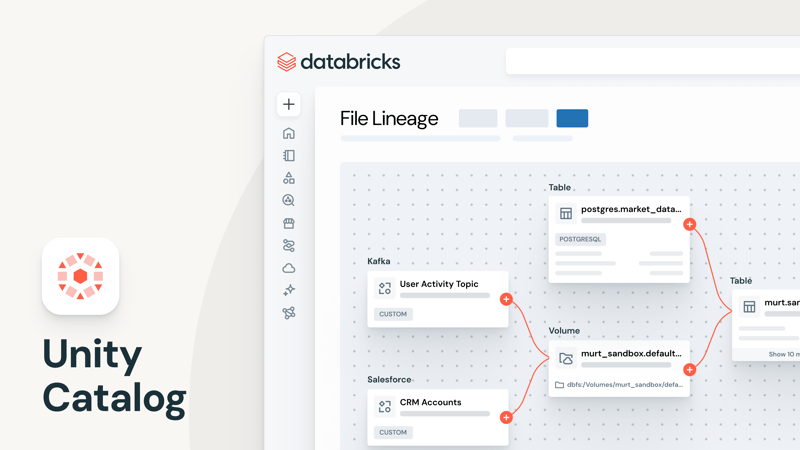
Photo owned by Databricks 2026
DevOps is not really anything revolutionary that would come with Databricks. But what Databricks does really well here, is that Databricks stack integrates seamlessly with the most popular Git tools e.g. Github, Bitbucket, Gitlab, AWS CodeCommit, Azure DevOps.
You're able to integrate your remote repository to Databricks, which allows you to do git commit, push, pull and manage branches straight in Databricks. This will come in very handy in data science works since a lot of the research would be done in notebooks with attached compute.
ModelOps can be considered the most important part of the MLOps process. I don’t want to undermine any other Ops, but MLOps may be the most crucial and complex one. Each model needs to be monitored and logged for metrics, performance, statistics, etc. This alone is a large task with many different approaches and strategies…
Introducing MLflow, an open-source tooling for model lifecycle handling, and the best part is, (in this blog’s view), it's very well integrated with the Databricks tech stack. Being a fundamental part of Databricks workspace and Unity Catalog, MLflow provides a complete set of model handling, was it the traditional linear regression model and some of the latest LLMs used to tackle the challenges your business is facing.
The latest tool worth looking into would be deployment jobs, which, combined with MLflow 3, provides the best experience. By automating your deployment evaluation, approval and deployment it's possible to become even more effective and robust, as deployment jobs integrate seamlessly with Unity Catalog and Lakeflow jobs.
You should check out the details in Databricks’ documentation: MLflow 3 employment jobs.
Now you have used MLflow to experiment, develop and train a machine learning model. You decide that it is good enough for production, but then how would you actually use it for inference? Your answer would be Databricks Model Serving.
Databricks Model Serving is a service designed to deploy and use models in real-time as endpoint APIs, other options are available as well, for example from UI. Equipped with auto-scaling and low-latency predictions, Model Serving is a perfect partner alongside MLflow. Unlike many other tools, Model Serving is not open source, it is proprietary, managed inference service within the Databricks cloud platform.
The model has been researched, developed, trained, deployed and is in use for inference, next you need to monitor its performance which will likely take you back to development. Lakehouse Monitoring will provide almost everything you need for model monitoring: dashboards, alerts, monitoring result tables, metrics etc.
For example, SQL alerts are worth looking into. They are basically periodically run queries which then send a notification when a condition is met. Simple, yet effective.
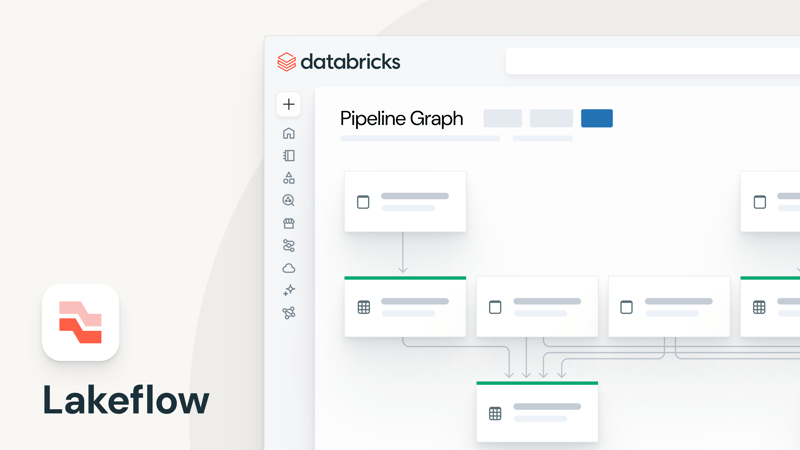
Photo owned by Databricks 2026
We have only scratched the surface of the MLOps world in Databricks. The terms and tools discussed here are only a small part of possibilities in machine learning. As wide as the variety of Databricks’ tools are, there are, obviously, limitations. Not all the tools are best suited for your business needs; demoing and trying out different options is an important part of finding your most suitable tools.
If so, feel free to contact us or book a 15-minute intro call.
Or if you are just interested in Databricks as a technology, hit us up!

-1.png?width=400&height=225&name=asocdw_s02e07_jussi_virtanen_1280x720_PNG%20(1)-1.png)
Written by —

%20Large.jpeg)